Manage Your Subscription
All subscription changes take effect immediately. Cancellations remain active until the end of your current billing period. Subscriptions renew automatically at the start of each billing period — you will receive an email notification.
Viewing Your Current Plan
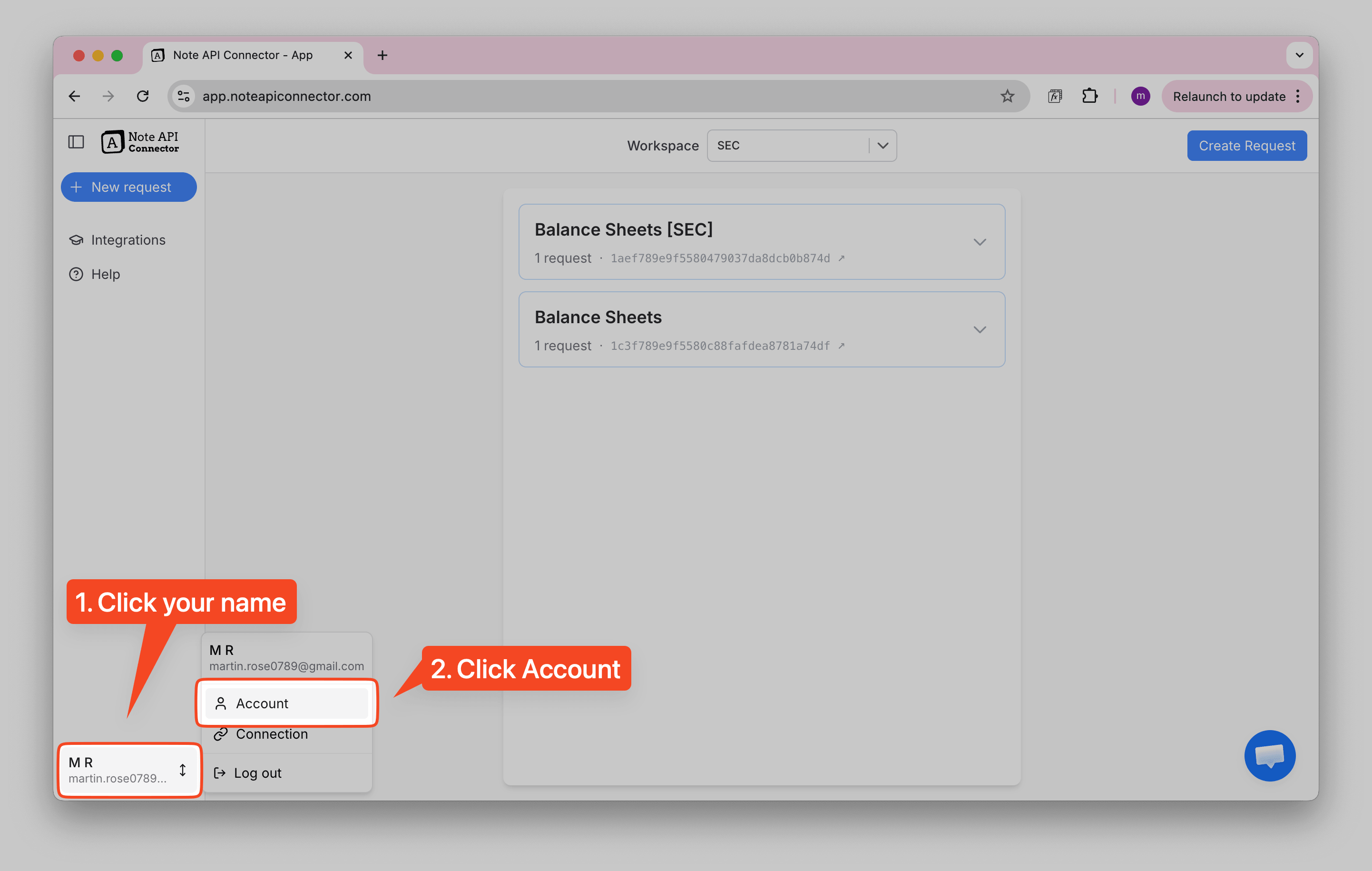
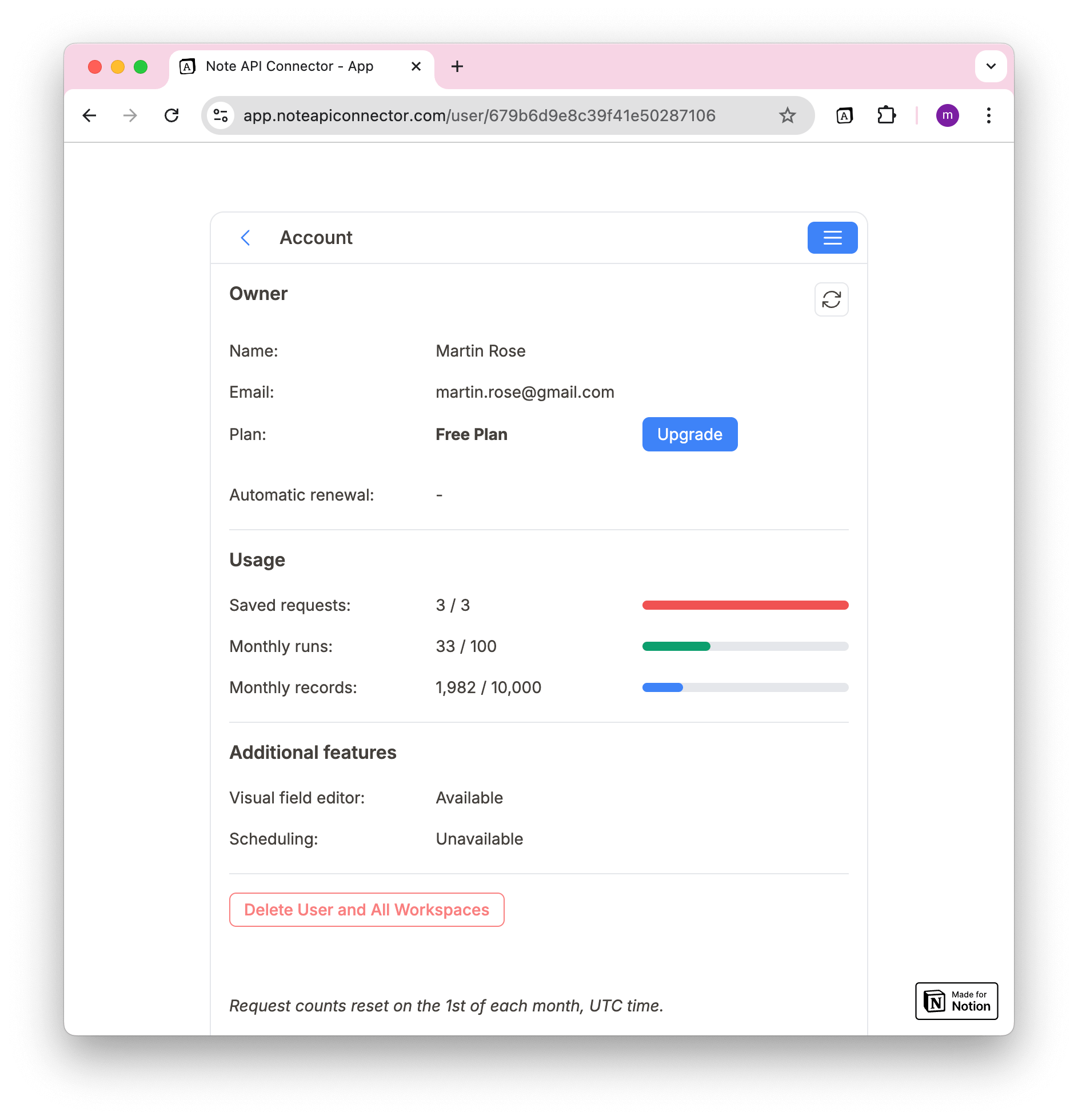
You can check your current plan in the Account View:
1️⃣ Click your name in the bottom-left corner.
2️⃣ Click Account in the menu.
3️⃣ Your current subscription plan will be displayed.
Upgrading Your Plan
To unlock higher usage limits and scheduling features:
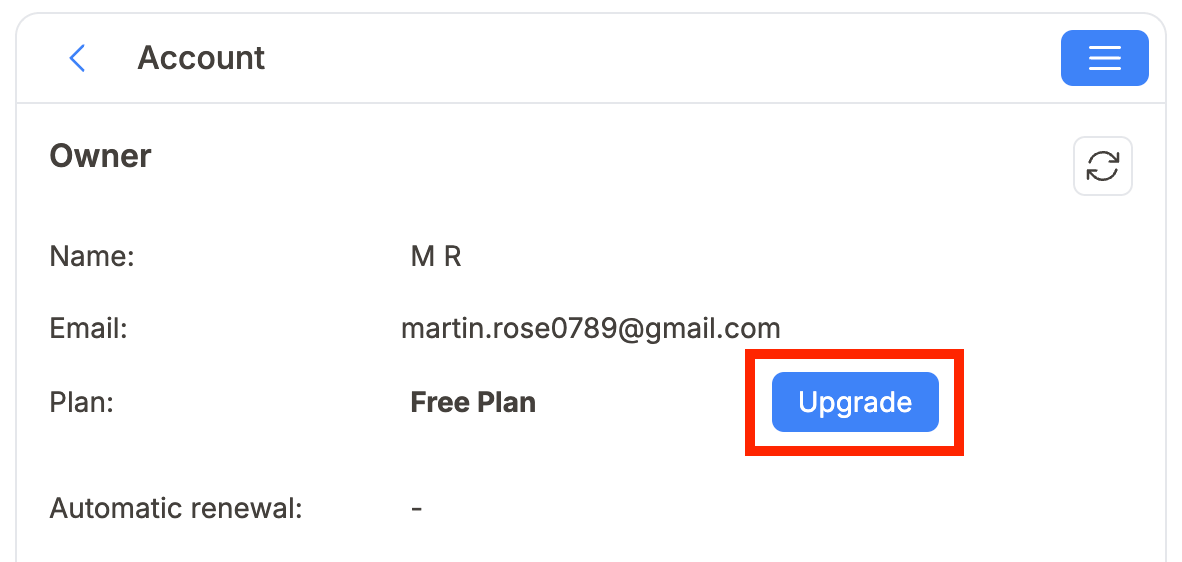
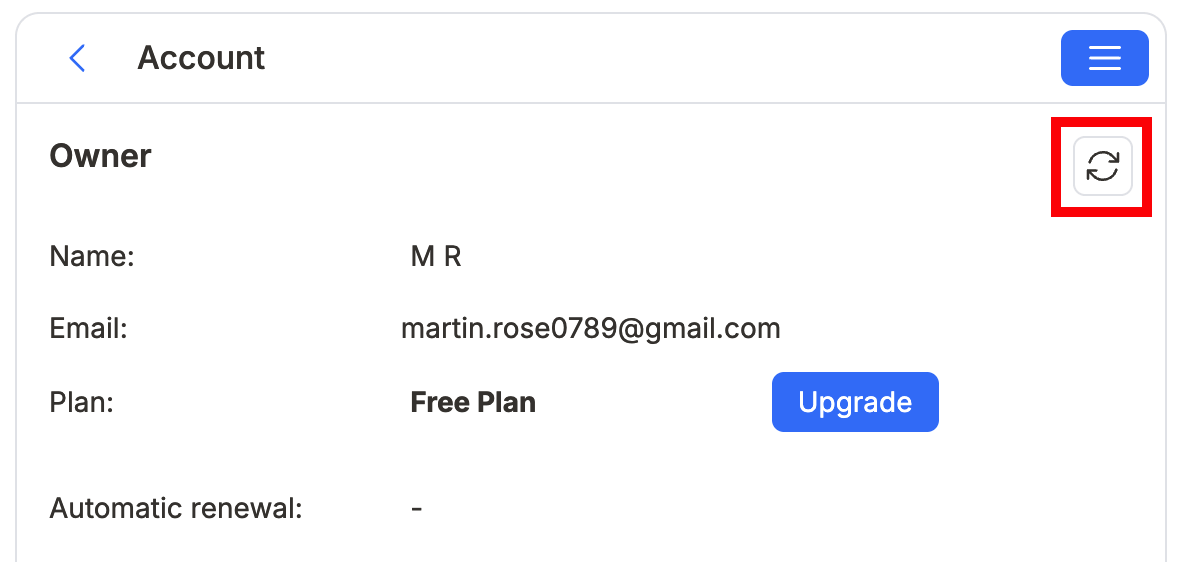
1️⃣ Click your name → Account → Upgrade.
2️⃣ You will be redirected to the Pricing Page.
3️⃣ Select your desired subscription plan.
4️⃣ Confirm your email address (the one linked to Notion & Note API Connector).
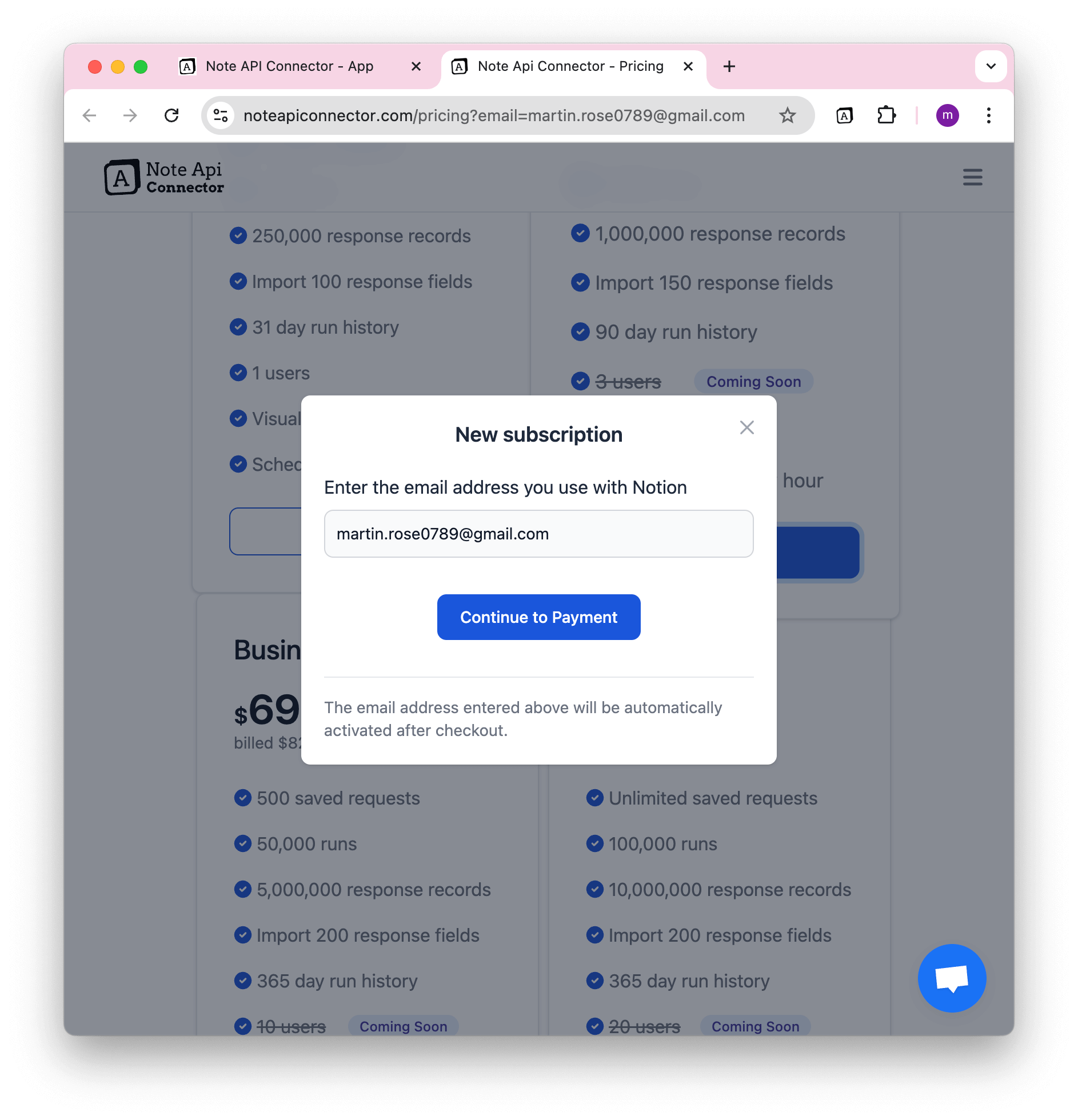
5️⃣ Complete the purchase via Stripe.
6️⃣ After payment, you will:
- See a purchase success page.
- Receive a confirmation email.
7️⃣ Refresh your account status by clicking the Refresh Button in the Account View.
Changing Your Plan
To switch to a higher or lower plan:
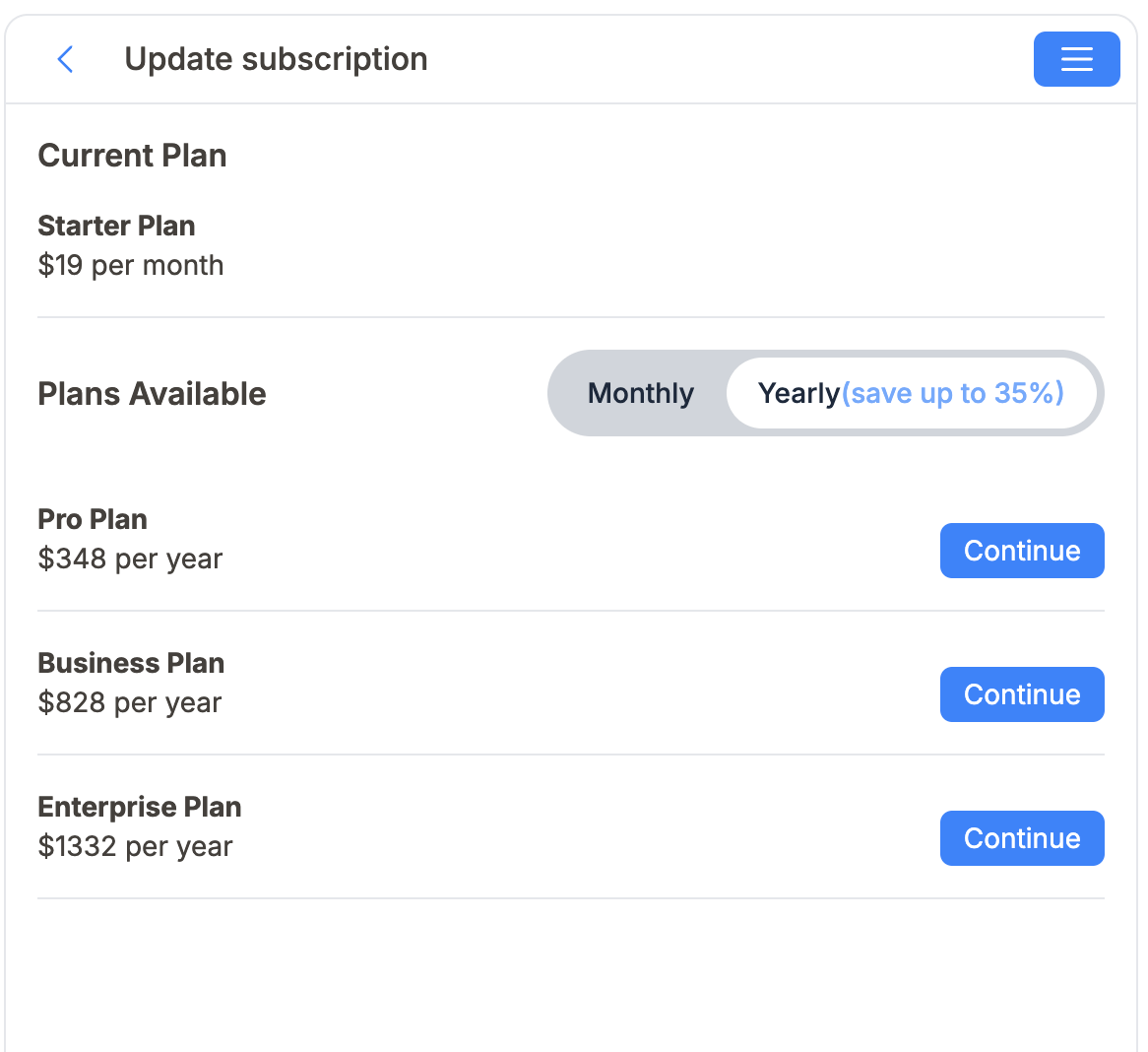
1️⃣ Click your name → Account → Update Plan.
2️⃣ Select a new subscription plan from the list.
💡 Pro-Rated Pricing: You only pay for the days remaining in your current billing cycle. Any unused time on your previous plan is credited automatically.
Managing Auto-Renewal
Your subscription renews automatically by default. You can see your exact renewal date and toggle auto-renewal on or off from the Account View.
To disable auto-renewal:
1️⃣ Click your name → Account.
2️⃣ Find the Automatic renewal toggle.
3️⃣ Click the toggle to turn it off.
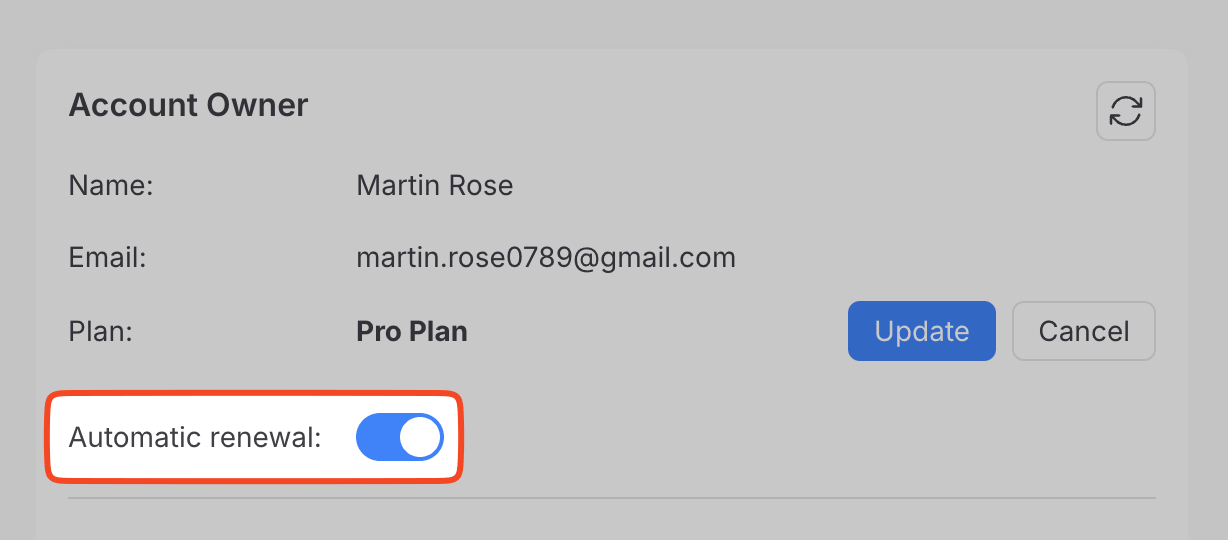
When auto-renewal is disabled, your subscription will expire at the end of the current billing period without being charged again. You can re-enable it at any time before that date.
Canceling Your Plan
When you cancel your plan:
- You will not be billed again.
- Your subscription remains active until the end of your current billing period.
- You will receive a cancellation confirmation email.
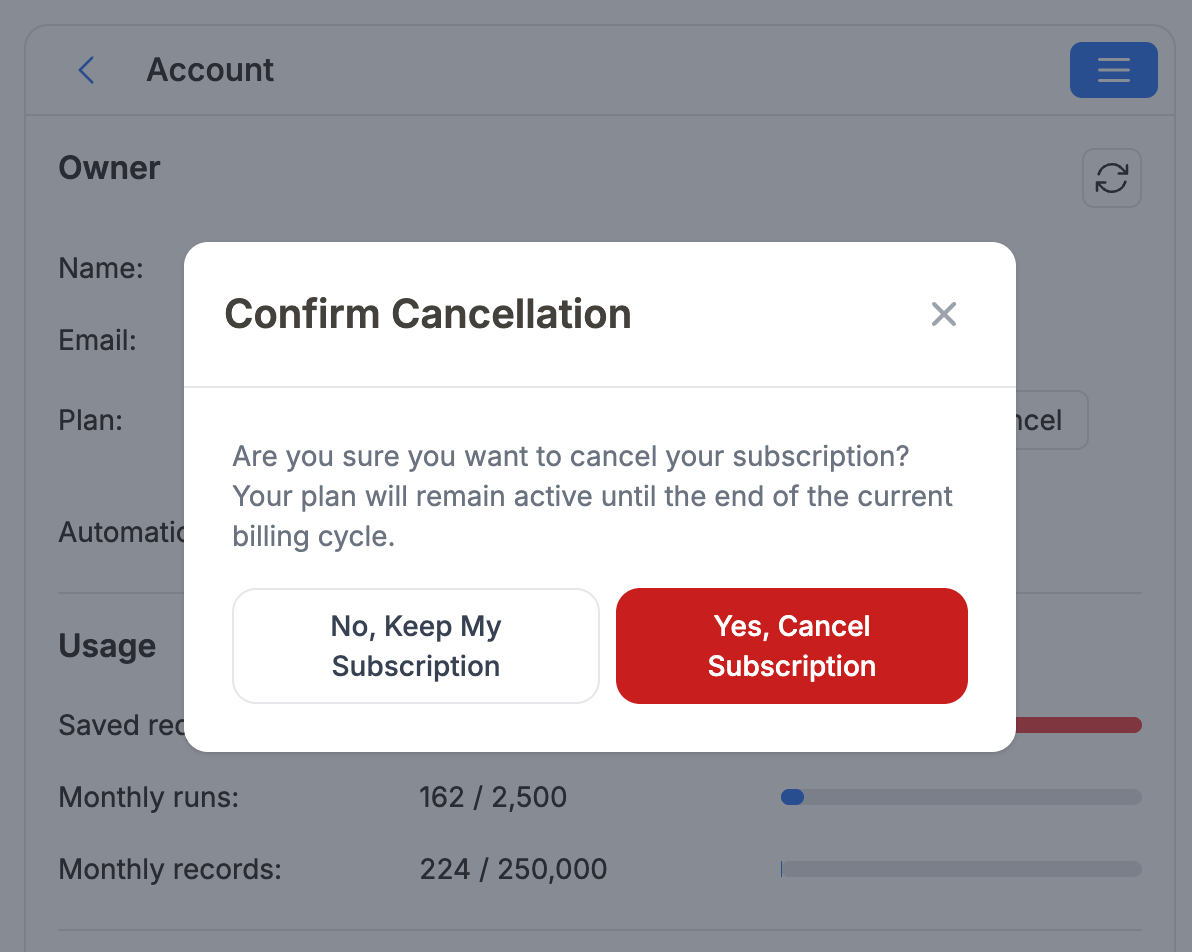
1️⃣ Click your name → Account → Cancel Plan.
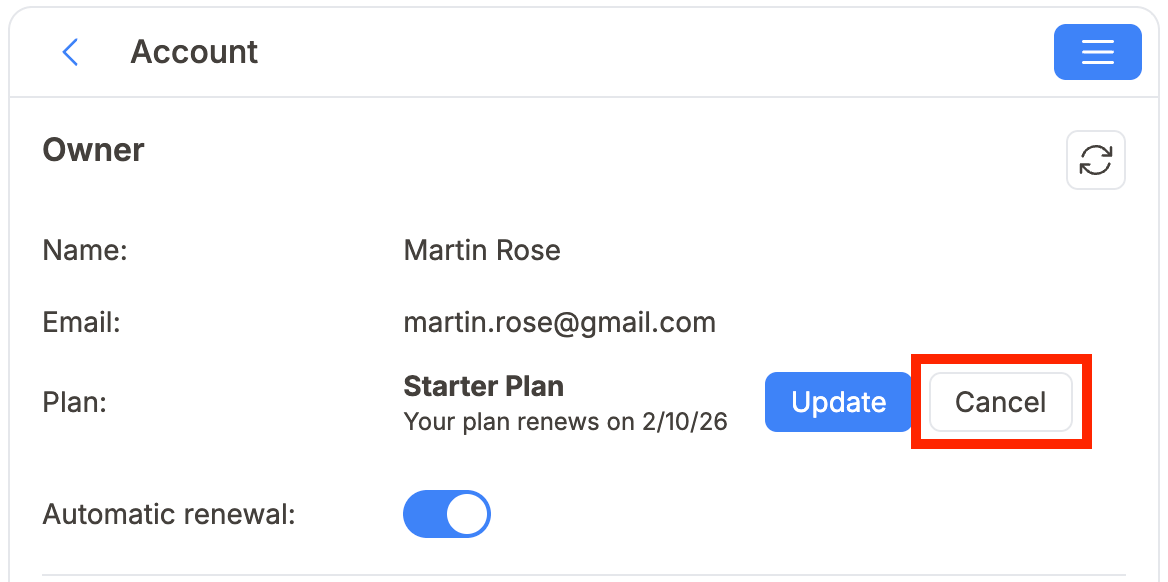
2️⃣ Review the details and click Confirm Cancellation.
We offer a 14-day money-back guarantee. Just reply to your confirmation email or contact us at support@noteapiconnector.com.
Looking to delete your account? See Manage Your Account.